


If you want to create a join link for your WhatsApp group, that you can share with anyone to add them in your WhatsApp group, then follow the steps below.
Step 1. Open WhatsApp on your smartphone.

Step 2. Scroll to the group you want to create the link for and open it’s info by tapping the top bar.
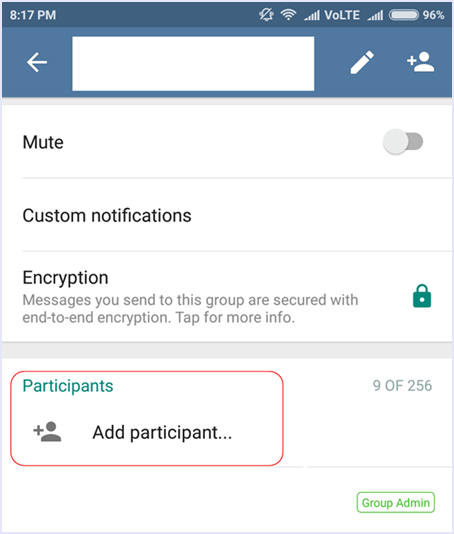
Step 3. Tap on Add participants.
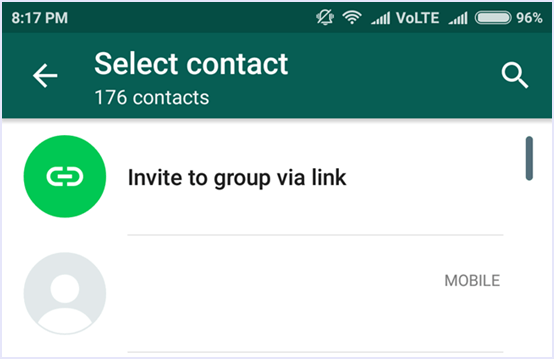
Step 4. Now you can see the option to “Invite people via link”.
Step 5. You will now see the invite link to your WhatsApp group. From here, you can copy the link or directly share it with others through your phone.
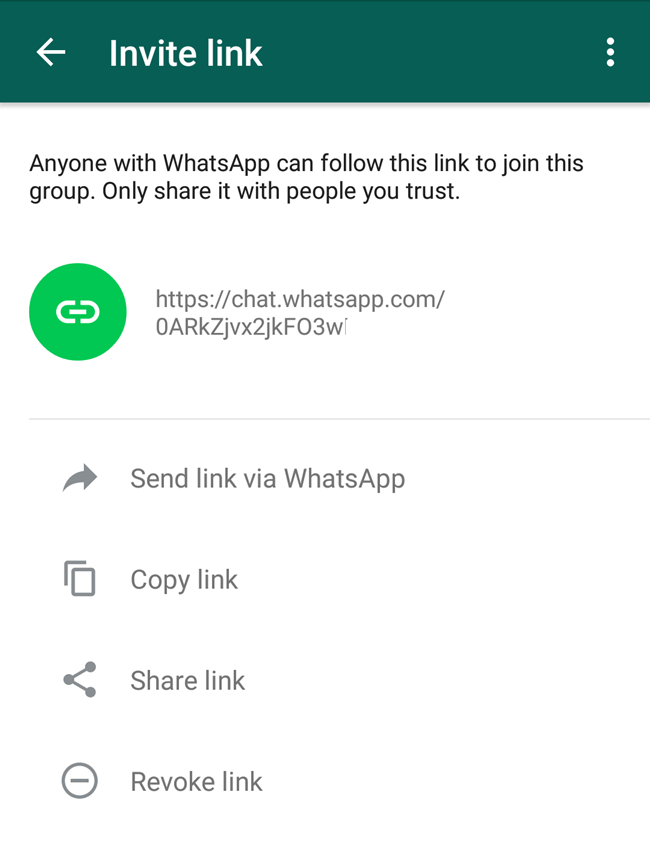
You can also revoke the link if you are done adding members to your group to make it secure.
In conclusion, we hope that this guide on how to create WhatsApp group invitation link helps you to use your smartphone for better and easier connectivity. Share the article with your friends to help them as well.



 Hello, my name is Aamir khan. I'm a 24year old blogger from Pakistan.
No comments:
Post a Comment
Your feedback is always appreciated. We will try to reply to your queries as soon as time allows.
Note:
1. Make sure to click the "Subscribe By Email" link below the comment to be notified of follow up comments and replies.
2. Please "Do Not Spam" - Spam comments will be deleted immediately upon our review.
3. Please "Do Not Add Links" to the body of your comment as they will not be published.
4. Only "English" comments shall be approved.
5. If you have a problem check first the comments, maybe you will find the solution there.